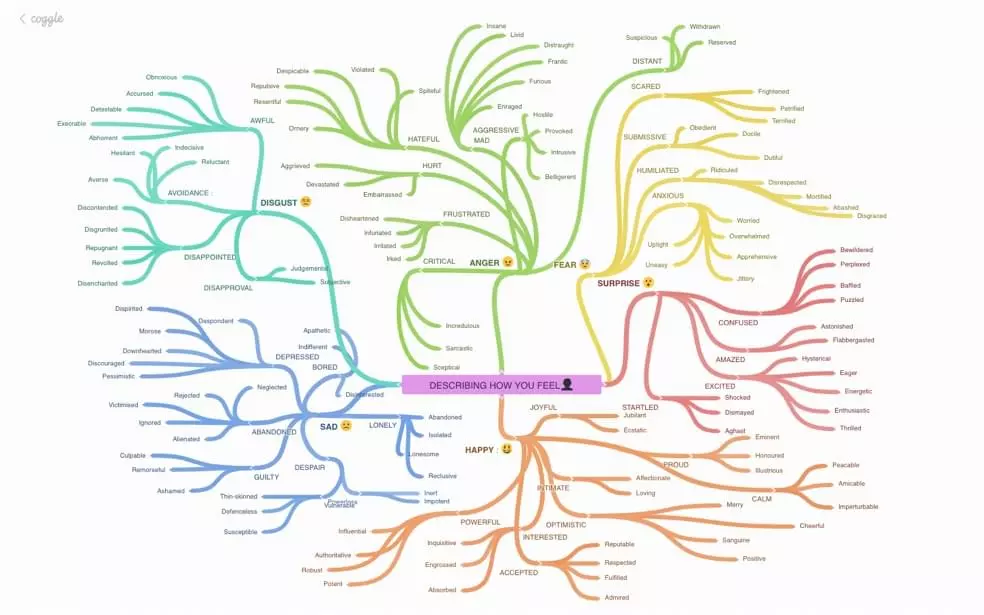
Best Free Mind Mapping Software for Students
The best free mind mapping software for students depends on how you study. Adobe Acrobat’s mind map maker turns uploaded notes, slides, or textbook chapters into a map with no sign-up or credit card required, and shows the source behind select branches. Other free options below suit building maps by hand.
Students asking for free mind mapping tools usually want one thing: faster, clearer study sessions without a subscription. The tools below are compared on four points: free-plan limits, how the map gets built, sharing with classmates, and cost. Each section covers one kind of free tool.
Which free mind mapping tools are best for study sessions?
Match the tool to the task. For exam review, Adobe Acrobat builds a map from notes you already have, so you spend the session studying rather than drawing. For maps you build by hand while listening to a lecture, Coggle’s free plan includes three private diagrams plus unlimited public ones, and MindMeister’s free plan allows three maps with unlimited collaborators. Mindomo is built with education in mind, and its free plan includes three maps and one AI credit, which is enough for roughly one AI-generated map. Whichever you pick, start with one subject so you do not use up a three-map cap on a single semester’s worth of ideas.
What free online diagram software can students use for mind maps?
General diagram software gives you shapes and connectors instead of a fixed mind map layout, which suits concept maps and flowcharts as well. Lucidchart’s free plan includes three editable documents, 75 shapes per document, and 100 templates, with no credit card required, so a large map can reach the shape limit. Canva offers a free mind map maker built on its Whiteboards, with both free and premium templates. diagrams.net is free with no sign-up required, and you choose where files are saved. Pick diagram software when you want to arrange everything yourself, and a dedicated mind map tool when you want branches placed for you.
Which free open source mind mapping software is worth installing?
Two open source options stand out for students. Freeplane is free and open source, written in Java, and runs on any operating system with a current version of Java, including Windows, macOS, and Linux. It has no paid tier, and maps are saved as files on your own computer. Markmap, released under the MIT license, turns plain Markdown into a mind map and works online, from the command line, and inside VS Code. That makes it a natural fit if you already take notes in Markdown. Both ask a little more setup than a browser tool, but neither limits how many maps you can make.
Best free mind mapping tools: which free plan is best for education mind maps?
Check the cap before you commit. Most free plans keep three of something editable: three maps on Mindomo and MindMeister, three private diagrams on Coggle, three documents on Lucidchart. Lucid’s free education plan keeps the same three-document limit, so an education account alone does not remove it. Tools without a map cap, such as Adobe Acrobat’s mind map maker and the open source options, trade that for a different workflow. The table compares the free plans side by side.
| Platform | Best for | Free plan details |
| Adobe Acrobat mind map maker | Turning existing notes into a map | Free, no sign-up required; files up to 100MB each |
| Mindomo | Education-focused mapping | 3 maps and 1 AI credit |
| MindMeister | Group study maps | 3 mind maps; unlimited collaborators; AI map creation in beta |
| Coggle | Quick shared maps | 3 private diagrams and unlimited public diagrams; PDF and image download |
| Lucidchart | Diagram-style maps | 3 editable documents; 75 shapes each; 100 templates |
| Freeplane | Offline mapping with no map cap | Free and open source; Windows, macOS, and Linux |
Frequently Asked Questions
Can I use a free mind map for group study?
Yes. Adobe Acrobat lets you sign in, create a shared Student Space, and invite classmates with a link. MindMeister’s free plan allows unlimited collaborators, and Coggle’s free plan includes real-time collaboration and sharing by link or QR code.
Do free mind mapping tools let me export my maps?
It varies. Coggle’s free plan includes PDF and image downloads. MindMeister adds file exports on its paid Personal plan, so free users may want to screenshot finished maps. Freeplane saves maps as files on your own computer, so you always keep a copy.
Is it safe to upload class notes to a free mind map tool?
Read each tool’s privacy terms first. Adobe Acrobat states that uploaded files are handled on its servers over HTTPS with TLS 1.2, stored with AES-256 encryption, and deleted unless you sign in to save them. Local tools such as Freeplane keep your files on your own computer, which avoids uploads altogether.